Auto Mouse is a background utility designed to alleviate the strain associated with overuse of a computer mouse.
It allows you to to operate your mouse using your other hand via the keyboard and to click the mouse automatically when it stops moving.
Auto Mouse is suitable for users with RSI, carpal tunnel, trigger finger, tendonitus, finger arthritis, tenosynovitis and general finger pain who wish to operate their mouse pain-free.
Windows 2000/2003/XP/Vista/2008
PC 1 Ghz
256 MB Ram
.NET Framework 3.5 (can install automatically)
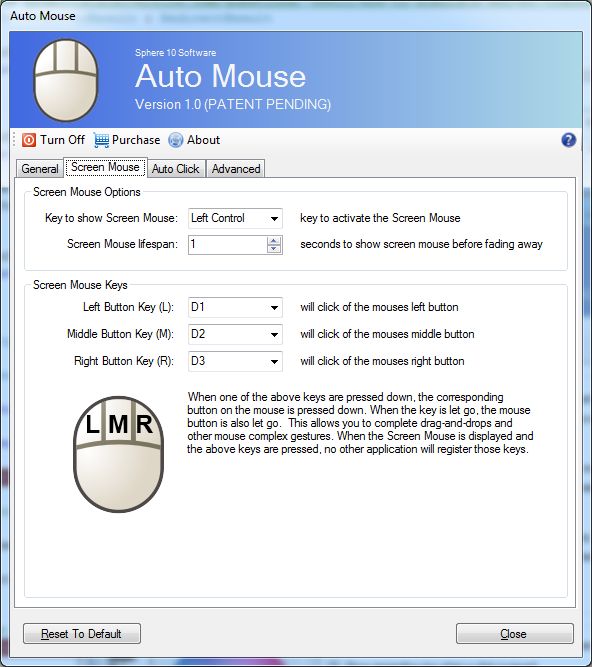
This allows you to click the mouse using your other hand and via the keyboard. Pressing the key down the key also presses down the mouse button, and releasing the key releases the mouse button.
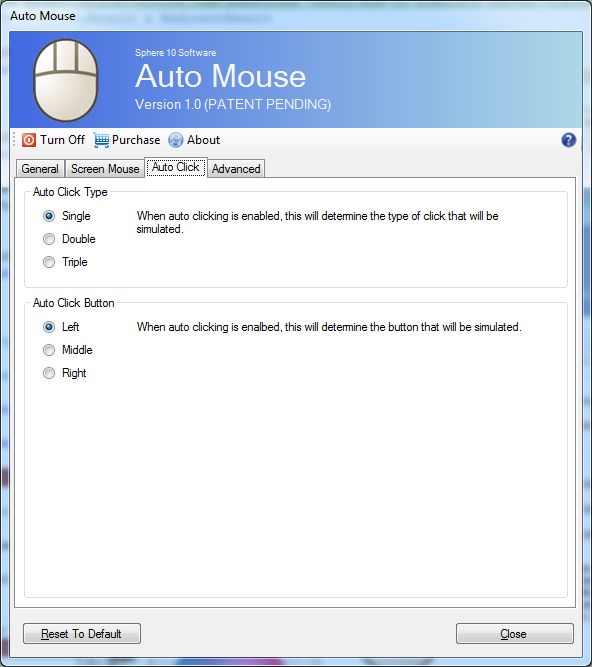
When you stop moving the mouse a click is automatically issued at the place teh mouse stops. This allows users bypass the need to click a mouse and is useful for people with serious RSI issues like trigger-finger or users with a broken finger.
When the screen mouse is visible, the arrow keys can be used to move the mouse around the screen.
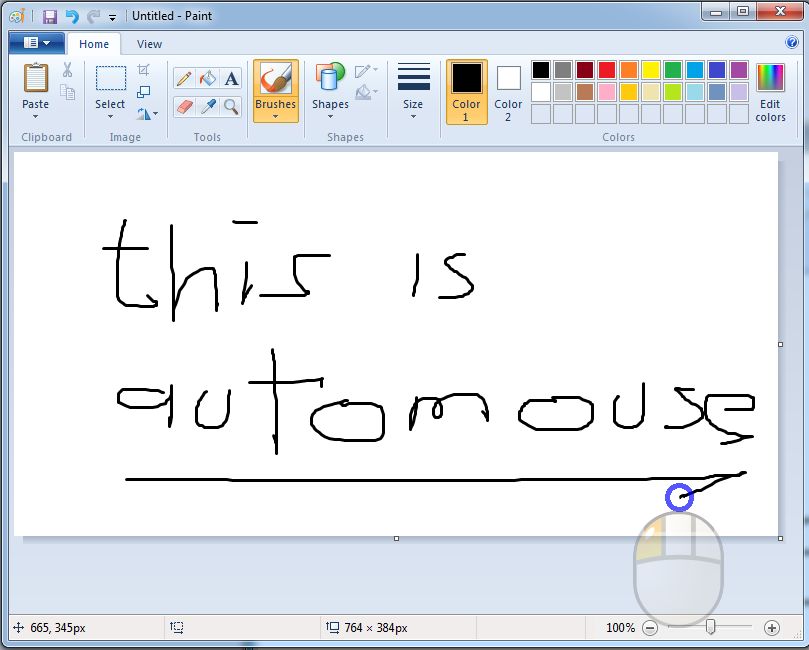
Auto Mouse unique and patent pending design allows you to click, double click and drag-and-drop the mouse using only your keyboard with ease. In fact, some graphic artists report it easier to draw using the real mouse to move the cursor and the Screen Mouse to click the mouse as it distributes the physical work over both hands
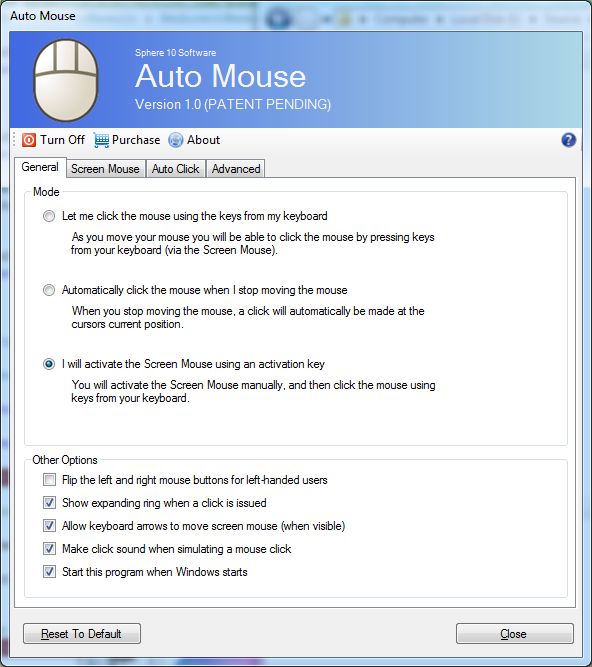
Used by left-handed users when using right-handed mouse
When simulating a click, a clicking noise is made to let you know that key was interecepted
Auto Mouse can load automatically when you start your machine
The keys used to press the left, middle and right buttons as well as the key to activate the screen mouse can be configured.
Whenever a click is issued, expanding rings can be seen to indicate the position of the click.
Every feature and setting is configurable to allow you the best configuration for your needs.
Software that just works